Update Company Details
Click Manage, choose Company.
Update Your Company Information
- In the Details section, click Edit and update your company information like name, web site, and Tax ID.
- Use the Phone or Addresses section in the Details tab to edit your phone number or address.
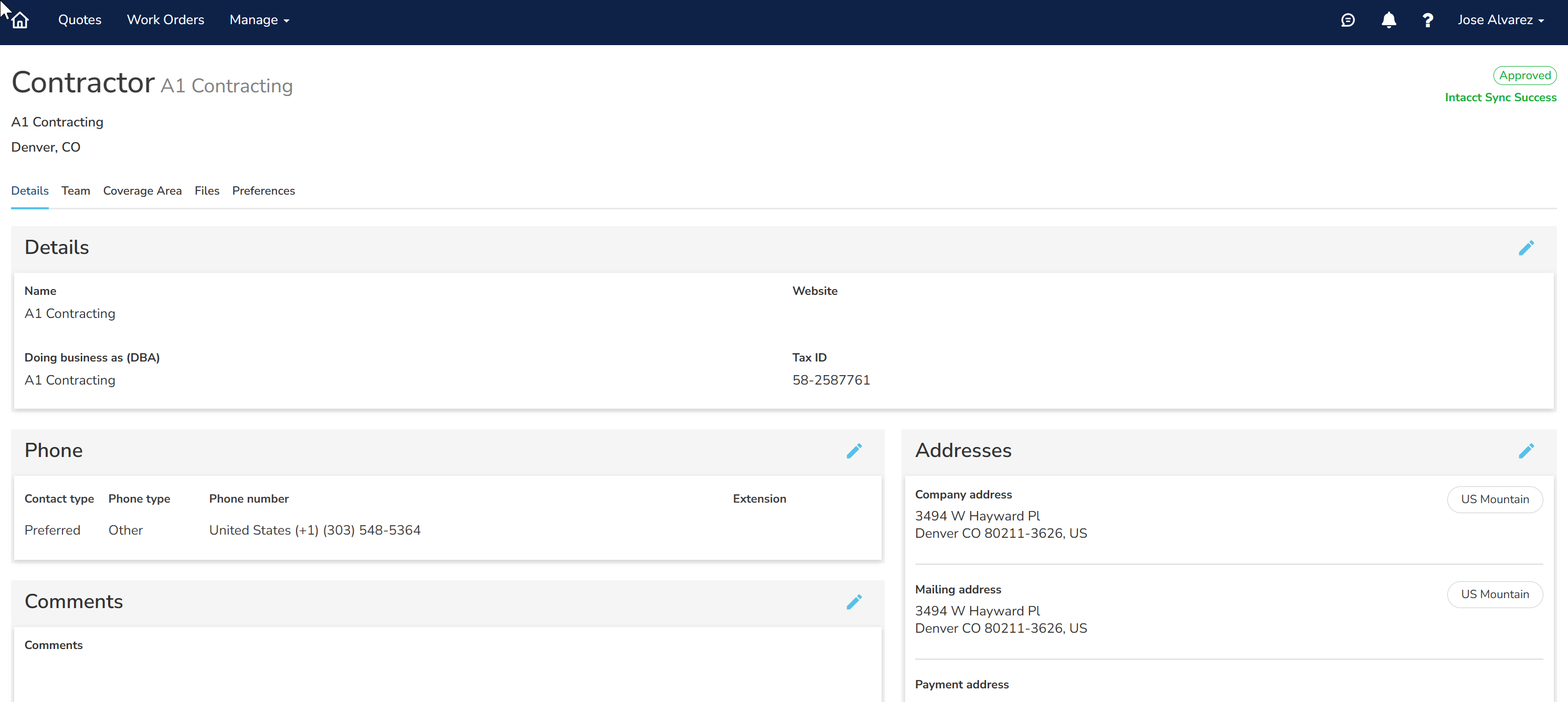
- Select the Team tab to add or update your employees, their status, and their contact information.
Create a Preferred Pick-Up Location
You can create a favorite location to pick up your Goodman equipment.
- Click Manage and choose Company.
- Select the Preferences tab.
- In the Pickup Locations section, type your office location and press Enter.
- On the map, click a truck to select the most convenient pickup location.
- Click Add to make this your preferred pickup location.
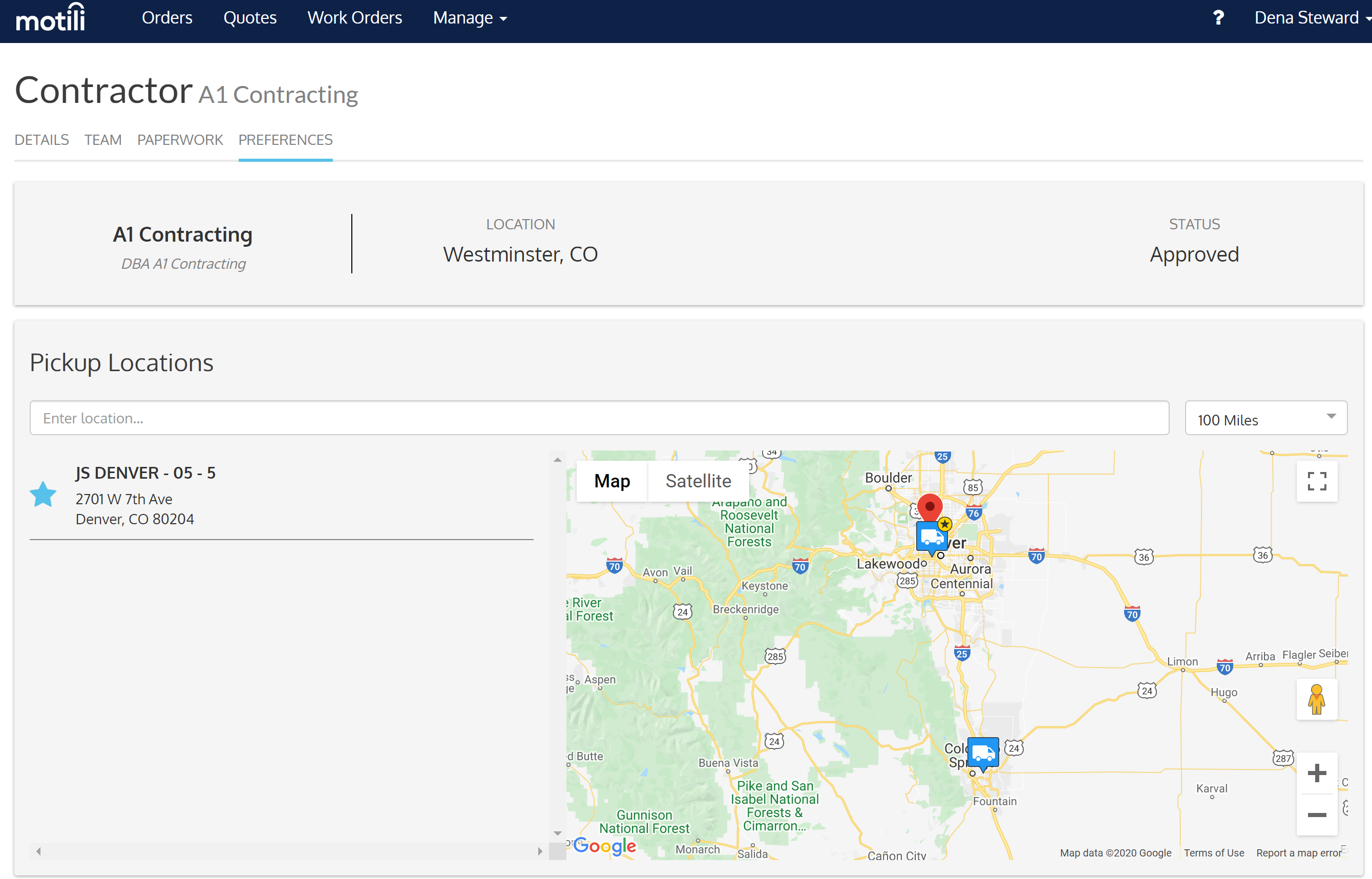
A star appears next to the location. These preferred locations are displayed for easy selection on the Mobile App when you choose Pick Up as a fulfillment method. If you're updating your preferred pickup location, click the truck and click Remove for the existing location, and then add the new one.
Change Your Coverage Area
- Select the Coverage Area tab and click Edit.
- For Service Radius, type the number of miles from your office that you are willing to perform work. The map reflects your location and your new coverage area.
- Select Restricted to State to work only in the state of your mailing address.
- Under Counties Included, click the first field and choose the state where you work.
- Narrow your coverage area by clicking the next field and choosing the specific counties that you serve. If you choose two counties, for example, you'll get dispatches for both counties even if they are outside your radius. This Colorado contractor has a service radius of 60 miles in three counties.
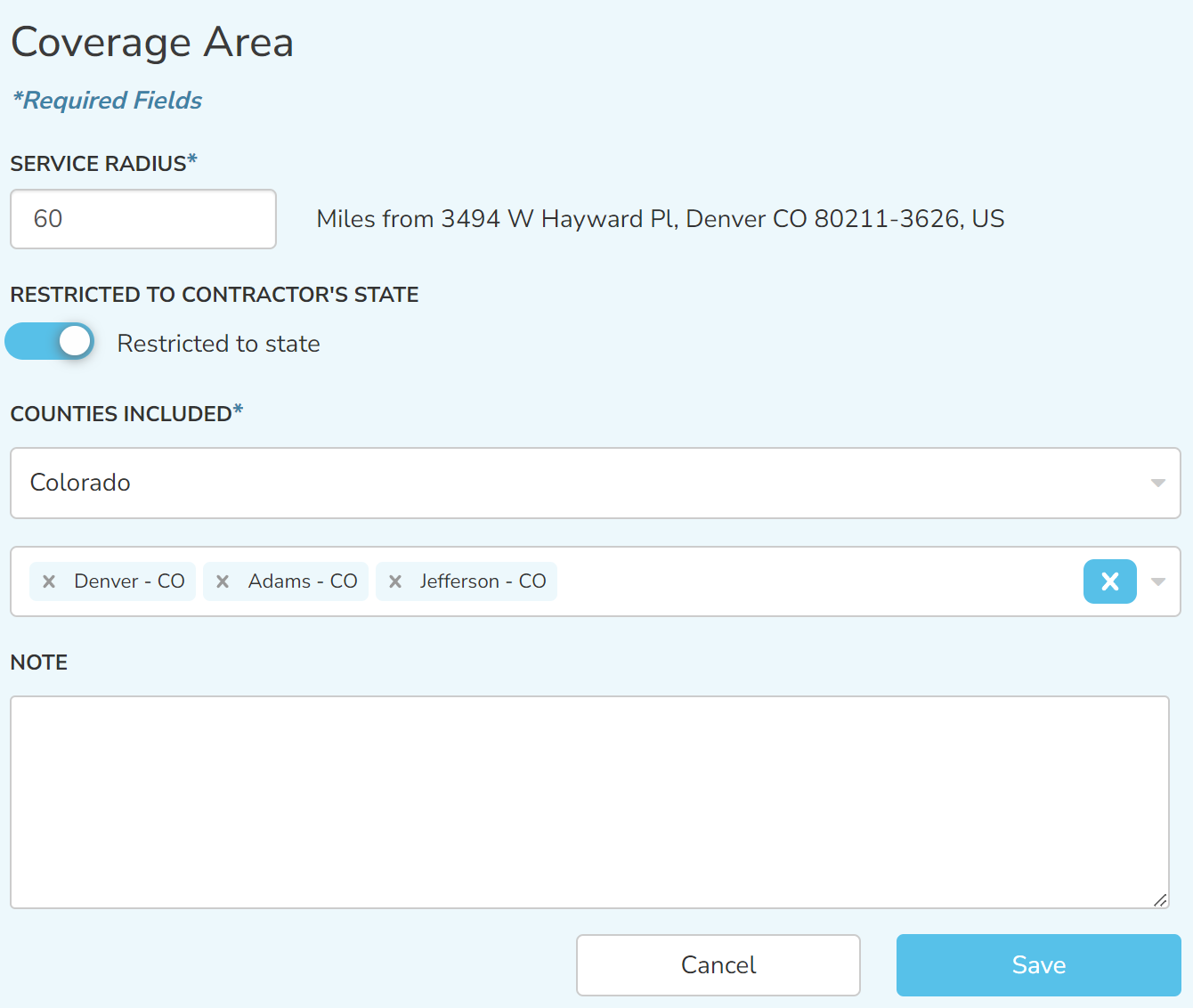
- In the Note section, enter additional details about your coverage area.
- Click Save.
Change Your Status
Contact Motili Support at 1-800-935-5620 or email customer.support@motili.com to change your status to Approved:
- Approved - You have provided all required documentation and you've been approved, so you can receive dispatching notifications, and you can also be manually assigned to a work order.
- Inactive - Only Motili Administrators can see this status.
- Insurance Expired - Each year you must provide a current valid certificate of liability insurance. See Upload W-9 and Proof of Insurance for instructions.
- Pending Approval - You can log in to the Contractor Platform and set up your profile, but you cannot receive dispatching notifications or be manually assigned to a work order.